The Chronological Smart Home: A Perfect 24-Hour Day

Stop building scattered smart schedules. Learn how to map out a seamless, conflict-free 24-hour routine that follows your family's natural daily timeline.
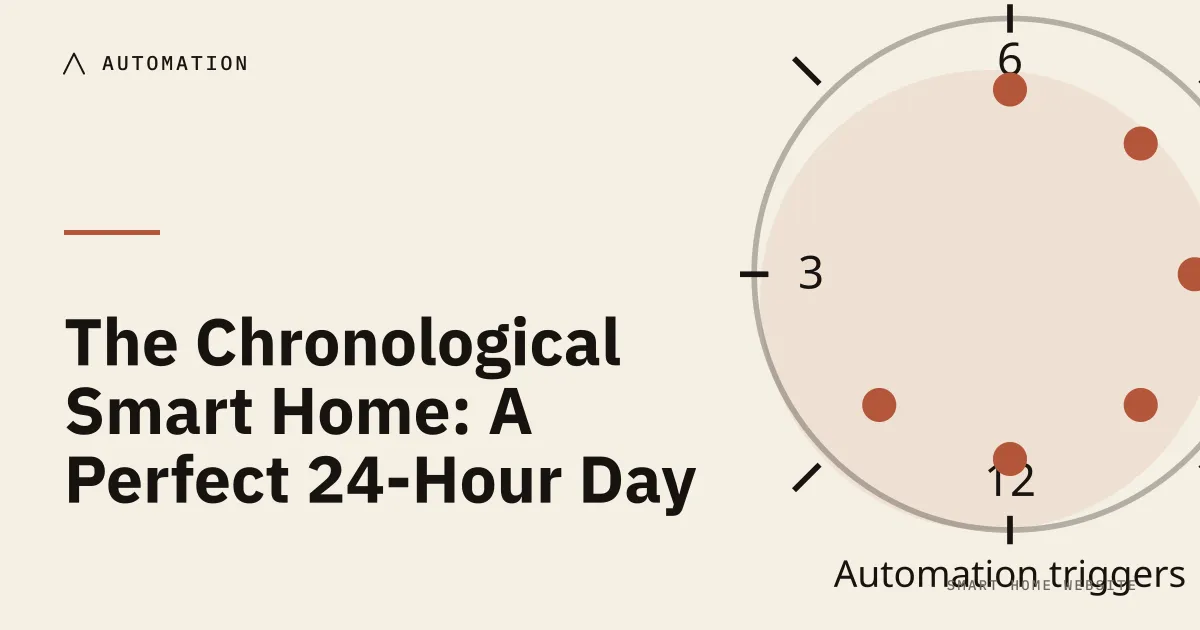
Section 1: Why does automating each gadget separately make your home worse? (Introduction)
A good automation day is a sequence, not a pile of rules: wake, leave, return, wind down and sleep, each with one trigger and a clear override. Design the day first, then write the rules that support it, and no more.
When you first begin setting up home automations, your natural instinct is to treat every gadget like an independent helper with its own private calendar.
You open one app and tell your smart thermostat to drop temperature at 7 AM. You open another app and schedule your living room window blinds to roll up at 7 AM. You set a smart plug on the kitchen coffee maker for 6 AM, and configure a smart speaker to broadcast the morning news at 7 AM sharp.
On paper, this feels like the pinnacle of modern organization. In real life, it quickly turns your home into an adversarial comedy of errors.
A family member wakes up with a migraine and tries to rest, only to have motorized blinds suddenly whine open to reveal blinding morning sun, followed immediately by a smart speaker cheerfully announcing traffic delays.
On an evening when you stay up late to finish a project, your living room lighting abruptly cuts out, and the heating drops to an icy overnight setback while you are still typing at your desk. Instead of supporting your daily flow, your devices spend all day tripping over each other and startling your family.
This friction happens because you are automating the hardware rather than your household’s natural timeline.
A peaceful, dependable home does not run on an uncoordinated pile of isolated device timers; it follows a unified, human-centered rhythm.
By shifting your perspective from disconnected gadget menus to a synchronized twenty-four-hour timeline, you can orchestrate your home across four natural daily phases. When your technology moves in harmony with your biological clock, your house stops acting like a cantankerous roommate—and quietly becomes the effortless, invisible backdrop to your family’s daily life.
Section 2: Why should your routines follow the sun instead of the clock?
The single biggest flaw in beginner automation is relying too heavily on the clock on your microwave.
A rigid schedule—like setting living room lamps to flip on at 6 PM sharp—ignores the physical reality of the changing seasons. In the heat of July, 6 PM is blazing, full-sun afternoon; in the depth of December, 6 PM is pitch-black night. If your home runs on fixed timestamps, you spend half the year with lights turning on during broad daylight, and the other half sitting in a dark room waiting for a timer to catch up.
To make an automated home feel natural, you must anchor your routines to biological and astronomical rhythms, not rigid numbers on a dial.
Tuning to the Sun: Relative Triggers
Every major smart platform today can calculate the precise position of the sun for your specific town or city. Instead of choosing a static hour, use sun-relative offsets:
- Set outdoor sconces and entryway lights to illuminate “30 minutes before sunset.”
- Set morning path lights to fade off “15 minutes after sunrise.”
By linking your home to the horizon, your living space breathes in lockstep with the natural world. It gently adjusts itself by a minute or two every single day, keeping your rooms perfectly balanced across summer and winter without you ever touching an app.
The Circadian Lighting Spectrum
Beyond when lights turn on, your home must respect how different colors of light affect your nervous system. In lighting, color temperature is measured on a scale called Kelvin (abbreviated as K):
- Energizing Midday (4000K to 5000K): A clean, crisp, cool-white light that mimics bright midday sun. This spectrum signals your brain to suppress sleep hormones and stay alert, making it ideal for morning focus at a desk, folding laundry, or kitchen meal prep.
- Restorative Evening (2000K to 2700K): A deep, golden amber that mirrors candlelight, a warm open fireplace, or a quiet sunset. This warm spectrum allows your brain to naturally produce melatonin (the hormone that guides restful sleep), lowering your heart rate and easing your family into relaxation.
When your home automatically shifts its lighting temperature from energizing daylight at noon to soft, candlelit warmth after dinner, your living space actively supports your health rather than fighting your biological clock.
Section 3: What does a full day of automation look like, hour by hour?
When you look at your home through the lens of a single, flowing day, automation stops being a collection of fragmented settings. It becomes an invisible, supportive choreography that shifts seamlessly across four distinct phases.
Phase 1: 06 AM – 09 AM (The Gentle Awakening)
The morning phase is about easing your household out of deep physical rest into daily momentum without sudden sensory shocks.
- 20 Minutes Before Waking: Rather than shocking your nervous system with bright lights or loud noises, the automation begins with temperature. The smart thermostat quietly lifts the bedroom and primary bathroom two degrees out of their chilly overnight setback. Waking up in a warm room eliminates the instinctive reluctance to climb out from under the blankets.
- The First Footstep: The routine does not tie lighting to a rigid clock time. Instead, it waits for the first footstep detected by a hallway or kitchen motion sensor. When tripped, kitchen under-cabinet lighting and hallway runners fade up slowly over fifteen seconds to a warm, candlelit 25% brightness (2700K). Your eyes adjust naturally, and your day begins with calm visual comfort.
- The Critical Guardrail: The bedroom door contact sensor serves as the gatekeeper. As long as the bedroom door remains cracked shut, bedroom shades stay down, overhead lights stay off, and smart speaker announcements remain completely muted—protecting a sleeping partner or a child resting on a sick day.
Phase 2: 09 AM – 05 PM (The Efficient Absence)
During the middle of the day, your home shifts its priority to physical security, property protection, and cutting utility waste while the house sits empty.
- The Multi-User Departure: The away sequence is never tied to a single smartphone. It engages only when the last household member’s phone crosses outside the 250-foot neighborhood boundary (geofence).
- Energy and Security Stasis: Once absence is confirmed, exterior smart deadbolts verify they are locked, and garage doors confirm closed. The climate system adjusts four degrees into an eco-friendly setback band. Smart plugs connected to the main entertainment center, countertop hot water dispensers, and bathroom styling tools automatically cut electricity at the outlet, permanently eliminating phantom standby power drain.
- The Critical Guardrail: The pet and remote-worker filter. Interior motion sensors monitor the living spaces for fifteen minutes after the geofence triggers. If interior motion is detected—such as a remote worker staying home or a family pet on the sofa—the house pauses its temperature setback, ensuring no one is left working in a freezing, dark space.
Phase 3: 05 PM – 10 PM (The Welcome Mat & Evening Unwind)
The evening phase has two distinct jobs: welcoming family members back across the threshold with minimal friction, and gradually lowering sensory stimulation after dinner to prepare your nervous system for sleep.
- The Return Approach: Twenty minutes before your typical arrival time, the thermostat returns the living spaces to your family’s comfort temperature. As dusk approaches, exterior porch sconces and path lights ease on automatically based on local sunset calculations.
- The Threshold Crossing: As your phone reaches the porch, the front deadbolt slides open, and the entryway console lamp glows softly at 40%, welcoming you into an inviting interior without fumbling for wall switches with arms full of bags.
- The Circadian Downshift: At 08 PM, the home begins its biological wind-down. Bright overhead ceiling fixtures gently fade out, handing over illumination to warm table lamps, shaded wall sconces, and indirect baseboard channels set to a deep, golden 2200K amber.
- The Critical Guardrail: Media power awareness. The evening wind-down routine checks the active power draw on your living room television or streaming console. If the system is actively playing a film, the routine leaves the current lighting state untouched rather than dimming the room mid-dialogue.
Phase 4: 10 PM – 06 AM (The Midnight Sanctuary)
The overnight phase secures the perimeter, silences digital interruptions, and provides safe, low-glare guidance for middle-of-the-night movement.
- The Goodnight Sweep: Triggered at 10 PM (or by a single tap on a bedside wireless button), the home performs a final perimeter check: deadbolts verify locked, ground-floor window sensors verify closed, and remaining decorative lights fade to black.
- Muting the Technology: Every smart speaker in the house automatically drops its master volume to 10%, and audible confirmation chimes are silenced. If someone whispers a command to turn on a fan at midnight, the speaker responds with a silent visual pulse rather than blasting a loud verbal confirmation through a sleeping home.
- The Midnight Pathway: Low-mounted motion sensors placed along baseboards and under the bed frame arm themselves. If someone swings their feet out of bed for a glass of water, indirect accent lights ease on at strictly 1% to 3% warm amber.
- The Critical Guardrail: The generous timer. The midnight path light stays illuminated for three full minutes of stillness before initiating a very slow, five-second fade-out, ensuring you never find yourself stranded in pitch darkness on your walk back to bed.
Section 4: Which guardrails keep your schedule from breaking on an unusual day?
A twenty-four-hour automation schedule sounds ideal when every day is a predictable Tuesday. But real life is messy, spontaneous, and human.
If your home cannot handle unexpected disruptions, a chronological schedule quickly becomes an annoyance. To keep your timeline resilient, weave three simple guardrails into your daily logic:
1. The Sleep-In & Sick Day Pause
A rigid 6 AM wake-up schedule is wonderful on a workday, but an absolute nuisance when someone is recovering from the flu or enjoying a quiet holiday morning.
- The Guardrail: Link your morning wake-up routine to your smartphone’s native Sleep Mode or a tactile wireless button on your nightstand.
- The Logic: Instruct your morning routine to proceed only if Sleep Mode has been deactivated. If you are sleeping in, the house remains in quiet, darkened stasis until you physically wake up and turn off your alarm—ensuring rest is always respected.
2. The Work-From-Home Anchor
If one family member leaves for an office while another works remotely from the dining table, a departure automation can accidentally plunge the remote worker into a cold, dark house.
- The Guardrail: Use an energy-monitoring smart plug on your home office desk or monitor strip as an occupancy anchor.
- The Logic: Before running the 09 AM eco-setback, the house checks office power draw. If your monitors and computer dock are pulling active electricity, the home knows you are working and keeps heating, cooling, and pathway lighting active.
3. The Late-Night Movie Lock
Nothing breaks the spell of a Friday evening movie night faster than the house deciding it is 10 PM bedtime, abruptly turning off the living room lamps and shutting down the television power strip.
- The Guardrail: Check television power before engaging the overnight perimeter lock-down.
- The Logic: Program your 10 PM Goodnight Sweep to execute only if media center power draw is below 25 watts. If you are still engrossed in a movie, the automation quietly steps aside and waits until you power down the screen for the night.
Section 5: How do you write each rule as when, only if, then?
You do not need to memorize complicated programming scripts to build a synchronized home. Regardless of whether you use Apple Home, Google Home, Amazon Alexa, or Home Assistant, every single step in your day follows our simple “When, Only If, Then” sentence structure.
Use this master reference matrix as your daily design blueprint. It lines up the four chronological phases of your day with the exact triggers, safety guardrails, and background actions needed to keep your home operating in effortless harmony.
The 24-Hour Chronological Master Matrix
| Daily Phase & Window | Environmental Trigger (The “When”) |
Hidden Guardrail (The “Only If”) |
Coordinated Action (The “Then”) |
Practical Household Value |
|---|---|---|---|---|
| Phase 1: The Gentle Awakening (06 AM – 09 AM) |
• 20 minutes before wake alarm • Followed by first detected hallway footstep |
• Phone “Sleep Mode” is OFF • Bedroom door is cracked open • “Guest Mode” is OFF |
• Raise thermostat 2°F out of overnight chill • Fade hallway and kitchen runners to 25% warm amber (2700K) over 15 seconds |
Eliminates morning shock and chilly floors; keeps sleeping partners completely undisturbed behind closed doors. |
| Phase 2: The Efficient Absence (09 AM – 05 PM) |
• The last family smartphone crosses outside the 250-foot neighborhood boundary | • Zero interior motion detected for 15 minutes • Home office power draw is under 15W |
• Verify exterior deadbolts locked • Shift HVAC to 4°F eco setback • Cut power to entertainment strip smart plug |
Drastically cuts electric waste; ensures property is secured without trapping remote workers or pets in a dark, cold house. |
| Phase 3: The Welcome Mat (05 PM – 08 PM) |
• First phone crosses back inside neighborhood boundary near dusk | • Outdoor light is below 50 lux • Time is within 45 minutes of sunset |
• Return HVAC to comfort temp • Turn on exterior porch light • Unlock deadbolt on porch approach • Illuminate entryway lamp to 40% |
Hands-free welcome home; eliminates fumbling with keys or searching for dark wall switches with arms full of groceries. |
| The Circadian Downshift (08 PM – 10 PM) |
• Clock strikes 08 PM (or 2 hours after sunset) | • Television power draw is NOT actively high (>50W movie playback) | • Gently fade out overhead ceiling cans • Transition table lamps and accent strips to warm 2200K golden amber |
Signals to your nervous system that the workday is over; supports natural melatonin release for restorative sleep. |
| Phase 4: The Midnight Sanctuary (10 PM – 06 AM) |
• Nightstand wireless button tapped (or clock hits 10 PM) | • Media center power draw is under 25W (movie finished) | • Final deadbolt lock verification • Drop smart speaker volume to 10% • Arm low-level baseboard motion sensors at 1%–3% deep amber |
Guarantees overnight peace of mind; silences jarring digital chimes; guides late-night bathroom trips without waking the brain. |
Section 6: How should you roll out the day, one week at a time? (Conclusion)
Looking across an entire twenty-four-hour timeline can feel inspiring, but resist the temptation to program your whole day in a single afternoon. Attempting to automate around the clock in one sitting is the quickest way to create accidental schedule clashes.
Instead, build your timeline gradually using the Reverse-Day Rollout Strategy:
- Week 1: Start with the Midnight Sanctuary. Begin with low-level, 1% amber night lighting and a reliable bedtime lock check. It carries virtually zero risk of annoying your family and delivers instant, tangible comfort the very first night you step out of bed for a glass of water.
- Week 2: Add the Evening Downshift. Introduce the sunset transition—fading harsh overhead fixtures down to warm, golden 2200K accent lamps so your household can naturally unwind after dinner.
- Week 3: Layer in the Gentle Awakening. Add the morning pre-heat and soft pathway lighting once you have confirmed your household’s baseline wake-up habits.
- Week 4: Activate the Efficient Absence. Configure your multi-user geofence and daytime energy setbacks only after you are completely confident in your system’s core stability.
A well-engineered smart home is never a rigid, unyielding train schedule. It is an invisible, considerate companion that bends gracefully around your family’s real-world rhythms—quietly holding your home in comfort, safety, and effortless warmth, twenty-four hours a day.
Where to buy
Opens an Amazon search. As an Amazon Associate, we earn from qualifying purchases. No product in this guide was supplied or tested by a manufacturer.
Related reading
- The Set-and-Forget Automation Strategy — how to keep automations from fighting each other.
- Smart Lighting 101 — why smart switches usually beat smart bulbs.
- The Smart Thermostat Audit — remote sensors and room-by-room comfort.
- The Smart Home Energy Audit — find the loads worth automating.
Sources
- Automation — Home Assistant
- Home app — Apple
- Google Nest help — Google
- HVAC programmable thermostats — U.S. Department of Energy