Set-and-Forget Automation: Practical Smart Home Routines

Confused by motion sensors and rigid smart schedules? A beginner-friendly guide to creating invisible, frustration-free routines that actually save time.
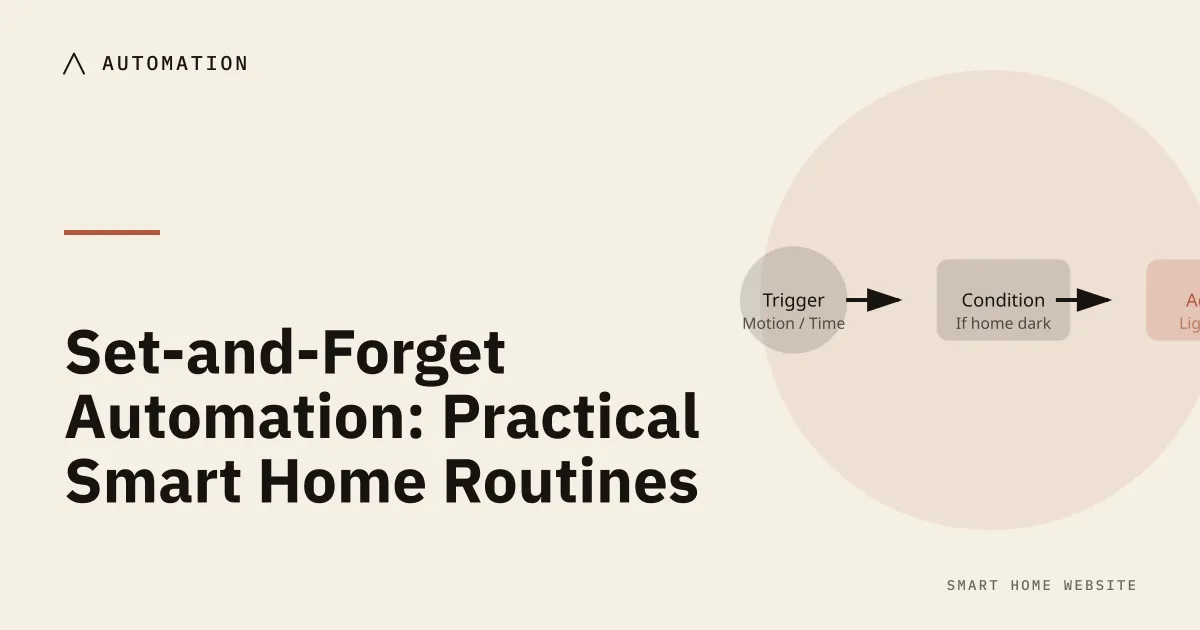
Section 1: Why does over-automating backfire? (Introduction)
Practical routines automate the few things you do every day, in a fixed order, with a manual override. Start with lights and climate, avoid cascades, and add a rule only when you can name the annoyance it removes and the failure it could cause.
The excitement of bringing home your first smart devices often leads to an unexpected side effect: the “haunted house” trap.
It starts with good intentions. You set up a central hub, screw in a few smart bulbs, and discover the automation tab in your app. In a burst of weekend enthusiasm, you automate everything you can touch. You schedule the kitchen pendants to flip on at 6 AM, set a speaker to broadcast the morning weather, and configure living room lights to switch off if no one walks past a sensor for five minutes.
Then, regular life happens.
A family member takes a sick day and gets startled by blinding lights snapping on at dawn. Your smart speaker loudly announces a pollen forecast in the middle of an urgent work call. You sit down on the couch to read a book, hold still for a few minutes, and suddenly find yourself plunged into pitch-black darkness because the sensor decided the room was empty.
When a house starts making uninvited, rigid decisions, it doesn’t feel advanced—it feels possessed. Frustration quickly mounts, family members start sticking masking tape over wall switches so nobody touches them, and before long, someone unplugs the smart hub out of sheer exhaustion.
This friction leads directly to smart home fatigue: the quiet mental tax of managing technology that was supposed to make your life simpler. You shouldn’t have to memorize rigid voice commands or worry whether sitting still in your favorite chair will trigger a blackout.
True home automation is never about parlor tricks to impress guests. The golden standard of a “set and forget” smart home is that it becomes virtually invisible—working quietly and considerately in the background to lift daily burdens without ever demanding center stage.
Section 2: Why should routines run without an app or a voice command?
Most newcomers begin their smart home journey by turning their smartphones into high-tech remote controls.
You sit on the sofa, unlock your screen, find your smart home app, wait for the interface to load, and tap a virtual button to dim an overhead bulb. In reality, that process takes ten seconds longer than simply getting up and flicking a traditional wall switch.
The same friction applies to smart speakers. Interrupting a quiet conversation or shouting over music to tell an artificial assistant to turn off a table lamp is not living in the future—it is a minor social inconvenience. Voice commands and mobile apps have their place as handy backup options, but they are not true automations.
A truly automated home works silently in the background, anticipating your needs before you ever reach for your phone or raise your voice.
The “When, Only If, Then” Rule
Setting up practical automations does not require programming knowledge. Every smart platform—whether you use Apple Home, Google Home, Alexa, or Home Assistant—builds routines around a simple three-part sentence structure:
- The “When” (The Trigger): The initial event that wakes up the routine. It answers the question: what just happened? This might be a clock striking 7 AM, a footstep crossing a hallway, or a smartphone crossing an invisible boundary on a map.
- The “Only If” (The Guardrail Condition): The common-sense safety check that prevents accidental annoyances. It answers the question: is this actually appropriate right now? For example, the house checks: only if it is dark outside, or only if someone is physically inside the house. If that condition is not met, the routine quietly steps aside and does nothing.
- The “Then” (The Action): The beneficial result you want to achieve. For instance: setting a bedside lamp to a soft glow, nudging the hallway thermostat up two degrees, or confirming that the back deadbolt is secured.
Giving Your Home Senses
To make these decisions without bothering you, your home needs simple, low-cost sensory inputs to understand what is happening in a room. Beginners only need to know three primary tools:
- Standard Motion Sensors: Think of these as eyes looking for shifting body heat. They are battery-powered, stick anywhere with double-sided tape, and excel in pass-through spaces where you are always on the move, like hallways, mudrooms, and stairwells.
- Presence Sensors: Traditional motion sensors have a blind spot: if you sit down to read or watch a movie, they assume the room is empty and shut off the lights. Modern presence sensors solve this by acting like gentle indoor radar. They are sensitive enough to detect the micro-movement of your chest rising and falling as you breathe, ensuring your living room lights stay on while you relax.
- Contact Sensors: These are small, two-piece plastic gadgets with built-in magnets placed on door and window frames. When the door swings open, the magnets separate, instantly notifying your system that someone entered or left the room.
Section 3: Which three routines should you build first?
When designing your first routines, start with predictable, everyday human problems rather than complex scenarios. Below are three battle-tested automations built around our “When, Only If, Then” framework. They require minimal hardware, avoid common household annoyances, and deliver immediate peace of mind.
3.1 The Gentle Awakening: An Adaptable “Good Morning” Sequence
Most people imagine a smart wake-up routine as a sudden burst of bright overhead light accompanied by a smart speaker announcing the news. In reality, that jarring sensory shock makes mornings harder, not easier. A considerate routine works like an artificial sunrise, quietly shifting the room’s environment before your alarm ever sounds.
- Step 1: The Invisible Pre-Heat (The “When”): Start your routine twenty minutes before you plan to wake up. Instead of flipping on lights, begin with temperature. The automation quietly signals your thermostat to lift the bedroom temperature two degrees out of its chilly overnight setback. Waking up in a room that is already comfortable eliminates that instinctive reluctance to climb out from under the blankets.
- Step 2: The Guardrail Check (The “Only If”): Tying wake-up lights directly to a rigid clock time is a recipe for frustration if someone is sick or sleeping in. Instead, add a gentle safety condition: only between 6 AM and 8 AM, and only when a motion sensor detects a physical footstep in the hallway or kitchen. If you toss and turn in bed—or get up at 3 AM for a glass of water—the morning routine remains completely dormant.
- Step 3: The Gentle Glow (The “Then”): When you finally step into the hallway, the kitchen and corridor lights should never strike you with blinding, midday white. Instruct them to fade up slowly over fifteen seconds to a warm, candle-like 25% brightness. Your eyes adjust naturally, sleeping family members behind closed doors are not disturbed, and your day begins with quiet comfort.
3.2 The Digital Fence: A Reliable “Leaving Home” Routine
We have all experienced that lingering worry ten minutes after driving away from the house: Did I lock the back door? Did I leave the kitchen lights on? A “Leaving Home” routine permanently lifts that mental tax using a simple tool called a geofence.
- Step 1: Understanding the Digital Fence (The “When”): Think of a geofence as a soft, invisible circle drawn on a map around your property—typically extending two or three hundred feet past your driveway. Your smartphone carries a low-power location chip; whenever your phone crosses outside that invisible circle, your smart home platform takes note.
- Step 2: The Multi-Person Rule (The “Only If”): Never build an away-routine around just one smartphone. If you leave to run an errand while a partner or visiting relative is resting inside, a single-phone automation will suddenly plunge them into darkness and lock the doors from the outside. Every major smart home app lets you add a simple rule: only run this routine when the LAST household member’s phone crosses outside the boundary.
- Step 3: The Protective Sweep (The “Then”): Once the house confirms that everyone has left the perimeter, it executes a reassuring departure sequence:
- It commands smart deadbolts to engage and validates that the garage door is down.
- It sets your thermostat to an energy-saving setback range, cutting utility waste while the house sits empty.
- It runs a whole-house sweep to turn off lingering hallway lights, forgotten television sets, and appliances plugged into smart outlets.
- It sets your system to “Away” mode, so you receive an instant phone notification if an exterior door opens while no one is home.
3.3 The Midnight Pathway: Safe, Non-Blinding Night Lighting
If there is a gold standard for beginner automations, this is it. It requires zero phone taps, zero voice commands, and delivers instant appreciation the very first night you use it. Its sole purpose is guiding a late-night trip to the kitchen, nursery, or bathroom without waking your brain or disturbing anyone else.
- Step 1: Low-Level Detection (The “When”): Place a small, battery-operated motion sensor low to the floor—either mounted along the baseboard or attached to the underside of your bed frame. By positioning the sensor close to the floor, it only triggers when your feet actually touch the rug, completely ignoring a sleeping partner tossing or turning under the covers.
- Step 2: The Circadian Guardrail (The “Only If”): Bright, cool-white light acts like artificial sunlight to the human brain, halting your production of melatonin (the hormone that helps you sleep). To protect your rest, apply a strict guardrail: only trigger if the time is between 11 PM and 6 AM, and only if primary room lights are currently off.
- Step 3: The Candlelight Guide (The “Then”): When your feet hit the floor, instruct an indirect accent light—such as an LED strip placed beneath the bathroom cabinet or a shaded baseboard lamp—to ease on at just 1% to 5% brightness in a deep, warm amber tone. It provides just enough soft contrast to keep you from bumping into furniture without shocking your night vision.
- Step 4: The Generous Timer: Beginners often set night lights to switch off after thirty seconds of inactivity. In real life, that means the hallway goes pitch-black while you are still pouring water in the kitchen. Give yourself breathing room: program the light to stay illuminated for three full minutes of clear stillness, followed by a slow, three-second fade-out that gives you ample time to walk comfortably back to bed. For the full bedroom version, see the sleep mode how-to.
Section 4: How do you keep routines working when other people live there?
Smart homes do not live in sterile testing labs; they live in busy, unpredictable homes shared with partners, children, houseguests, and babysitters. If an automation only functions when everyone acts like a disciplined engineer, it will eventually cause friction.
Designing a resilient smart home means planning for real-life human behavior from day one.
The Cardinal Rule: Respect the Wall Switch
The quickest way to spark household frustration is sticking a strip of masking tape over a light switch and telling your family, “Don’t touch that, use the app instead.”
Decades of human muscle memory cannot be untangled by an app. When someone walks into a dark room, their hand instinctively reaches for the wall. If flipping a traditional switch cuts physical power to a smart bulb—turning the device completely offline and breaking your schedules—the design has failed.
To keep peace in the home, your automations must always yield to a physical tap:
- Replace the switch, not just the bulb: Where possible, install smart in-wall switches so that tapping the wall toggle sends a digital signal rather than severing electricity.
- Add a companion button: If you rent or cannot alter your wiring, use battery-powered wireless smart buttons placed right next to your existing switch. Guests can push a real, tactile button to control the lighting without ever touching your phone.
The “Guest Mode” Lifesaver
Consider what happens when a babysitter, visiting in-law, or house sitter stays behind while you leave for dinner. Because their smartphone is not tracked by your home’s digital fence (geofence), the house assumes the building is completely empty. Suddenly, the heating drops to an eco setback, the interior lights shut down, and the security system arms with them sitting inside.
You can easily prevent this with a Guest Mode guardrail.
In your smart home app, you can create a single virtual toggle named “Guest Mode” (or assign it to a spare wireless button resting on the kitchen counter). Then, simply update your departure routine with one simple rule: only lock down the home if all family members are gone AND Guest Mode is off. When guests arrive, tap the button once to freeze all away-routines; tap it again when they head home.
The “Sleeping In” Guardrail
Fixed clock times are the enemy of lazy weekend mornings and unexpected sick days. If your morning routine is programmed to open the blinds or adjust temperatures at 7 AM sharp, it will eventually wake someone who desperately needed extra sleep.
Instead of relying purely on a schedule, use a physical door cue:
- The Bedroom Door Filter: Place a simple magnetic contact sensor on your bedroom door frame.
- The Gentle Condition: Tell your morning routine: only run between 7 AM and 9 AM IF the bedroom door is cracked open.
If you or your partner are sleeping in with the door closed, the routine remains paused. The moment you wake up and push the door open to start your day, the house reads that natural physical action and quietly begins warming the space. You don’t have to change an alarm or reprogram a schedule—the home simply watches your natural behavior and responds accordingly.
Section 5: How do you write a rule as when, only if, then?
No matter which smart home platform you use, the underlying mechanics remain identical. Apple Home, Google Home, Amazon Alexa, and Home Assistant may label these settings slightly differently—some call them “Starters,” others call them “Triggers” or “Routines”—but they all follow the exact same three-part sentence structure.
Before opening your app to build anything, use this scannable cheat sheet to map out your logic. Keeping your routines written down in plain language first ensures you never miss a critical guardrail condition that could disrupt your household later.
The Foundational Automation Matrix
| Routine Name | The “When” (The Starting Trigger) |
The “Only If” (The Guardrail Condition) |
The “Then” (The Helpful Action) |
Beginner Quick-Win Tip |
|---|---|---|---|---|
| The Gentle Awakening | First morning movement is detected by a hallway or kitchen sensor. | • Time is between 6 AM and 8 AM • Bedroom door is cracked open • “Guest Mode” is OFF |
• Lift thermostat 2°F out of overnight setback • Fade hallway and kitchen lights to 25% warm amber over 15 seconds |
Start by automating the thermostat pre-heat first; only introduce lighting once you know it won’t disturb a sleeping partner. |
| The Digital Fence (Leaving Home) |
The last household smartphone crosses outside the 250-foot neighborhood boundary (geofence). | • “Guest Mode” is OFF • No interior room motion detected in the last 10 minutes |
• Lock exterior deadbolts • Lower thermostat to eco/away band • Turn off non-essential lights and plugs • Set system to Away alert mode |
Test this routine for the first time on a relaxed weekend grocery run rather than during a stressful weekday morning rush. |
| The Midnight Pathway | A low-mounted baseboard or under-bed motion sensor detects a footstep. | • Time is between 11 PM and 6 AM • Overhead room lights are currently turned OFF |
• Turn on indirect accent or toe-kick light to 1%–5% warm amber • Keep illuminated until 3 minutes of zero motion, then fade out |
Mount the sensor flat against your baseboard or under the bed frame so pets and tossing under blankets don’t trip it. |
Section 6: Where should you start this weekend? (Conclusion)
Building a reliable smart home is a gentle marathon, not a frantic weekend sprint. If you try to automate your entire floor plan all at once, you will spend your Sunday evening troubleshooting glitchy settings instead of relaxing.
To set yourself up for long-term success, follow this simple rollout plan:
- The One-Routine Rule: Choose just one routine to tackle first. We strongly recommend starting with The Midnight Pathway. It requires only one inexpensive, battery-operated motion sensor and a single dimmable lamp or warm LED light strip. The setup takes fifteen minutes, the risk of annoying your family is virtually zero, and the payoff is immediate the very first night you step out of bed for a glass of water.
- The 48-Hour Burn-In Test: Once your first routine is configured, close your app and leave it completely alone. Let the automation run untouched for two full days. Pay attention to how it feels in everyday life. Did the light stay on long enough? Was the amber glow soft enough for your eyes? Listen to your household’s honest feedback and make small adjustments before you purchase any new gear.
- The True Measure of Success: Remember that a smart home is not an ongoing chore you have to manage, nor is it a gadget showcase meant to dazzle visitors. You have succeeded not when people notice how complex your setup is, but when the technology quietly recedes into the background—leaving you with a home that simply feels warmer, safer, and easier to live in.
Where to buy
Opens an Amazon search. As an Amazon Associate, we earn from qualifying purchases. No product in this guide was supplied or tested by a manufacturer.
Related reading
- The Chronological Smart Home — a full-day schedule that avoids automation clashes.
- The Smart Sensor Directory — motion, presence and contact sensors compared.
- Smart Lighting 101 — why smart switches usually beat smart bulbs.
- Smart Locks 101 — retrofit locks that keep the physical keyhole.
Sources
- Automation — Home Assistant
- Home app — Apple
- Google Nest help — Google
- SmartThings support — Samsung SmartThings