The Smart Home Automation Glossary: Plain-English Terms

Triggers, conditions, scenes, routines, modes and guards explained without jargon, with a reference table you can use when building a rule.
Reviewed October 2026. This is a reference article; no products were supplied or tested.
Section 1: What do common smart-home automation terms mean? (Introduction)
Automation words mean different things in different apps: triggers, conditions, scenes, routines, scripts and modes. Learn the four that matter, and most recipes become readable regardless of the app you use, and the glossary becomes a reference rather than a barrier.
Every automation app uses the same handful of ideas under different names. Apple Home calls them automations and scenes. Google Home calls them routines. Alexa calls them routines and groups. Home Assistant calls them automations, scripts and scenes. Underneath, they are all doing the same four things: watching for something, checking something, doing something, and stopping when something goes wrong.
The vocabulary matters because the mistakes are predictable. A rule that fires every time motion is detected instead of only when the house is empty will turn the lights on all day. A scene that sets brightness instead of turning a lamp on will leave the room dark. A routine that runs in the wrong mode will fight the routine scheduled an hour later. None of those are hardware failures; they are vocabulary failures.
This glossary is organized by the order you meet the concepts when you build your first rule. Each term gets a plain definition, a note on where it appears, and the mistake it usually causes. The reference table at the end condenses the lot.
One warning before the definitions: the same word can mean different things in different apps. “Scene” in Apple Home is a saved set of accessory states. “Scene” in some hubs also includes a trigger. When a guide or a forum post uses a term, check which app it means. The concept travels; the label does not.
Section 2: What are triggers, events and cooldowns?
Triggers and events
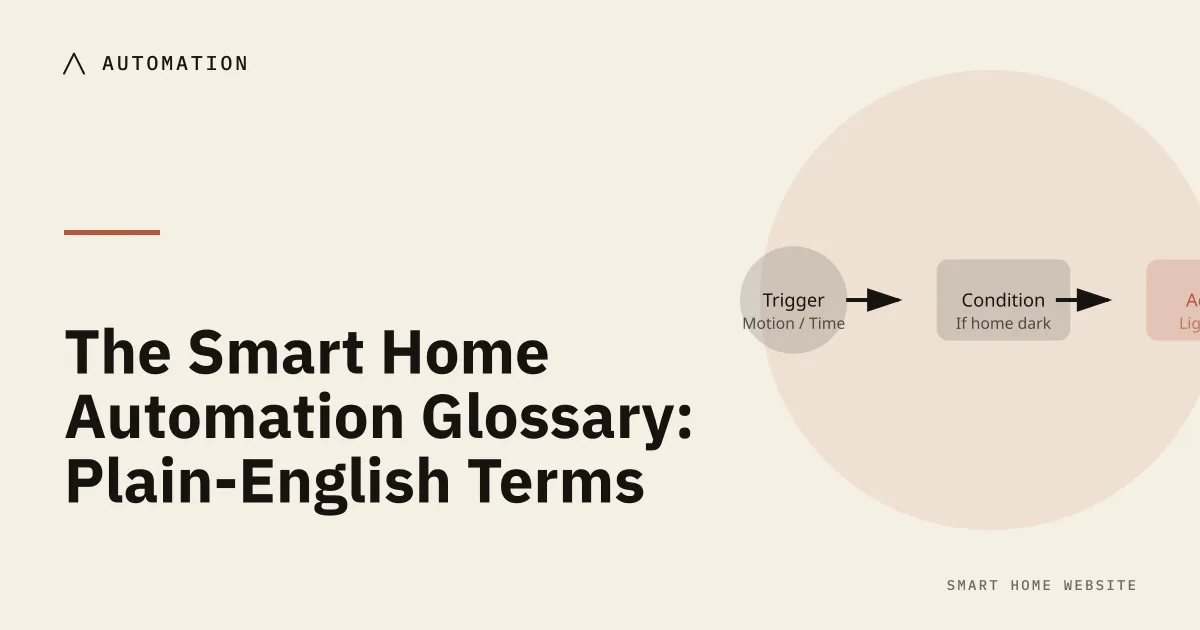
A trigger is the thing that starts an automation. It is the “when” in “when this happens, do that”. Triggers fall into a few families:
- State trigger — a device changes state. A door opens, a light turns on, a sensor reports motion. This is the most common trigger and the most literal: it fires on the change, not on the state being true.
- Time trigger — a specific clock time or a solar event such as sunrise or sunset. Solar triggers are better than clock times for lighting because they follow the season.
- Numeric trigger — a value crosses a threshold. Temperature above 78°F, humidity below 30 percent, power draw above 1,000 W.
- Event trigger — something happens that is not a simple state change. A button is pressed, a doorbell rings, a phone enters a zone, a webhook arrives.
- Manual trigger — a person runs the automation from the app or a dashboard.
An event is the raw thing that happened; a state is the current value of a device. A motion sensor emits an event when it detects motion and then returns to a clear state after a timeout. That timeout is why “motion detected” automations sometimes feel slow: the sensor is not continuously reporting, it is reporting a change and then waiting.
State changes: from and to
The trigger entity is the device the trigger watches. The from and to fields narrow the trigger: only fire when the door goes from closed to open, not when it goes from open to closed. Using them prevents half your automations from firing twice.
Debounce and cooldown
Debounce and cooldown are the fixes for chatty triggers. A motion sensor in a hallway may report several times in a minute; a cooldown stops the automation from restarting the lights each time. Some apps call this a “delay” or a “minimum interval”.
Sunrise and sunset offsets
Sunrise and sunset triggers usually accept an offset: 30 minutes before sunset, or 15 minutes after sunrise. Offsets are what make lighting feel natural rather than abrupt. They also handle the awkward weeks around a clock change better than a fixed time.
Section 3: What are conditions, guards and modes?
Conditions and guards
A condition is a check that must pass for the automation to continue. It is the “only if” in “when this happens, only if that is true, do the thing”. Conditions are evaluated at the moment the trigger fires, not continuously.
Common conditions:
- State condition — the house is empty, the light is off, the door is locked.
- Numeric condition — the temperature is below a threshold, the battery is above 20 percent.
- Time condition — it is after 10 p.m. and before 6 a.m.
- Presence condition — nobody is home, or a specific person is home.
A guard is a condition that protects against a bad outcome rather than shaping a routine. The classic guard is “do not unlock the door if nobody is home” or “do not turn on the heater if the window is open”. Guards are worth writing down separately because they are the rules you will want to keep when you rewrite everything else.
Modes and rule conflicts
A mode is a named state for the whole house: home, away, night, guest, vacation. Modes are useful because they collapse many conditions into one. Instead of checking three phones and two door sensors in every automation, you check the mode. Apple Home, Google Home and Alexa expose modes indirectly through scenes and routines; Home Assistant exposes them directly as an input select or a helper.
Mutual exclusion is the rule that two automations should not fight. If one routine turns the hallway light on at 6 a.m. and another turns it off at 6 a.m., the second is not a schedule, it is a bug. Write the pair down and decide which one wins.
Priority is how an app resolves conflicts when two rules touch the same device. Some apps use the last rule that ran; others use an explicit priority field. If the app does not document it, test it: trigger both rules and watch which state sticks.
Section 4: How do actions, scenes, routines and scripts differ?
An action is what the automation does: turn on, turn off, set brightness, set color, lock, unlock, send a notification, play a sound, run another automation.
A scene is a saved set of device states applied together. “Movie” might mean dim the lamp to 20 percent, turn off the ceiling light, and set the TV backlight to warm. A scene is a snapshot, not a rule: it does not have a trigger of its own unless the app adds one.
A routine is a trigger plus one or more actions, usually with conditions. The word is used loosely. In Google Home, a routine is what other apps call an automation. In Alexa, a routine is the same idea. In Apple Home, the app calls them automations and reserves “scene” for the snapshot.
A script is a reusable sequence of actions that can be called from several automations. Scripts are how you avoid duplicating the same five steps in four places. Home Assistant exposes scripts as entities; other apps often fold the idea into “groups” or “favorites”.
A group is a set of devices treated as one. “All downstairs lights” is a group. Turning the group off is one action instead of six, and it keeps working when you add a seventh light to the group.
A delay or wait pauses the automation between actions. “Turn on the light, wait two minutes, turn it off” is the simplest motion automation. Delays are fragile if the app restarts mid-run; prefer a trigger with a timeout where the app supports it.
Notification actions are underrated. A push message that says “the garage door has been open for 10 minutes” is often more useful than another automation that closes it. Pair the notification with a manual action so the household can decide.
Section 5: What do presence, occupancy, entities and attributes mean?
Presence and occupancy
Presence is the guess about who is home. The signals are phone location, a key fob, a door code, a motion pattern, or a manual mode. No single signal is reliable; the useful systems combine two.
Geofencing is a virtual boundary around a place. When a phone crosses it, the app fires an event. Geofences are convenient and imprecise: they can fire late, fire twice, or fail when the phone is low on battery.
Zones are named areas inside a geofence, or rooms inside a home depending on the app. In Home Assistant, a zone is a geographic area; in some apps, a zone is a room grouping. Check which one before you write a rule.
Occupancy is the inference that a room or house is in use, usually from motion, presence radar, or a combination. Occupancy is not the same as presence: a person can be present and still, and a pet can trigger motion without a person.
Entities, states and attributes
State is the current value of an entity: on, off, open, closed, 72°F, 40 percent. Attributes are the extra fields attached to a state: brightness, color temperature, battery level, firmware version. Automations can read attributes, which is how “only if the light is below 30 percent brightness” becomes possible.
Entity is the app’s name for a single controllable thing: a light, a sensor, a switch, a person. Device is the physical hardware; one device can expose several entities. A smart plug might expose a switch and a power sensor.
Templates
Template is a small expression that computes a value from states, such as the average of three room temperatures or whether any window is open. Templates are powerful and easy to overuse; if a template needs a comment to explain it, it probably belongs in a script.
Section 6: How do you read and debug an automation recipe? (Conclusion)
Automation terms at a glance
| Term | Plain meaning | Usual mistake |
|---|---|---|
| Trigger | What starts the rule | Firing on every change instead of one direction |
| Condition | What must be true to continue | Checking it continuously instead of at trigger time |
| Guard | A condition that prevents harm | Forgetting it when rewriting the rule |
| Mode | A named house state | Not updating it when people leave |
| Scene | A saved set of device states | Expecting it to run on a schedule |
| Routine | Trigger plus actions | Duplicating the same steps in several rules |
| Script | Reusable action sequence | Copying it instead of calling it |
| Group | Several devices treated as one | Adding a device and forgetting the group |
| Delay | A pause between actions | Relying on it across an app restart |
| Presence | A guess about who is home | Trusting one signal |
| Geofence | A boundary around a place | Expecting instant, reliable updates |
| Entity | One controllable thing | Confusing it with the physical device |
| Attribute | Extra data on a state | Assuming every app exposes it |
| Template | A computed value | Building logic that nobody can read |
A four-pass check for an automation recipe
Read a recipe in four passes. First, find the trigger and ask what event it actually watches. Second, find the conditions and ask whether they are true at the moment the trigger fires. Third, list the actions and check that they set the state you expect, not just toggle it. Fourth, look for a guard, a delay and a mode, and decide what happens when the internet is down or a phone is flat.
That last pass is the one beginners skip. A rule that works in the demo and fails in an outage is not finished. The plain-English version of a good automation is short: “When the last person leaves, turn off the lights, but only if the guest mode is off, and tell me if a window is still open.” If you cannot say it in one sentence, the rule is doing too much.
A debugging habit
A debugging habit worth keeping: run the automation manually before you trust it. Most apps have a “run” button. If it works manually but not on the trigger, the trigger is wrong. If it works on the trigger but not on the scene, the scene is setting a state the rule did not expect. Splitting the problem in half is faster than rewriting the whole rule.
Where to buy
Reference picks, checked October 2026. We have not tested these units ourselves.
- Smart home starter kits — a low-cost way to practice triggers, conditions and scenes.
- Aqara Motion Sensor P1 — the cheapest reliable trigger for a first automation.
- Button and remote controllers — manual triggers for scenes that need a physical control.
As an Amazon Associate, we earn from qualifying purchases. Each link opens an Amazon search for the category. No product was supplied or tested by a manufacturer.
Related reading
- The Smart Home Glossary: Connected Terms Explained — the vocabulary for radios, hubs and protocols.
- Set-and-Forget Automation: Practical Smart Home Routines — turning these terms into a weekly plan.
- The If-But-Only-If Framework: Stop Automation Cascades — conditions and guards in depth.
- Automation Fail-Safes: Plan for the Outage — what a rule should do when the network drops.
Sources
- Automations — Home Assistant documentation (accessed October 2026)
- Automation basics — Home Assistant documentation (accessed October 2026)
- Matter specification — Connectivity Standards Alliance (accessed October 2026)
- What is Thread? — Thread Group (accessed October 2026)