The If-But-Only-If Framework: Stop Automation Cascades

Stop your smart home devices from fighting each other. Use conditional logic to build predictable, conflict-free automations.
Section 1: Why does an automation fire at the worst moment? (Introduction)
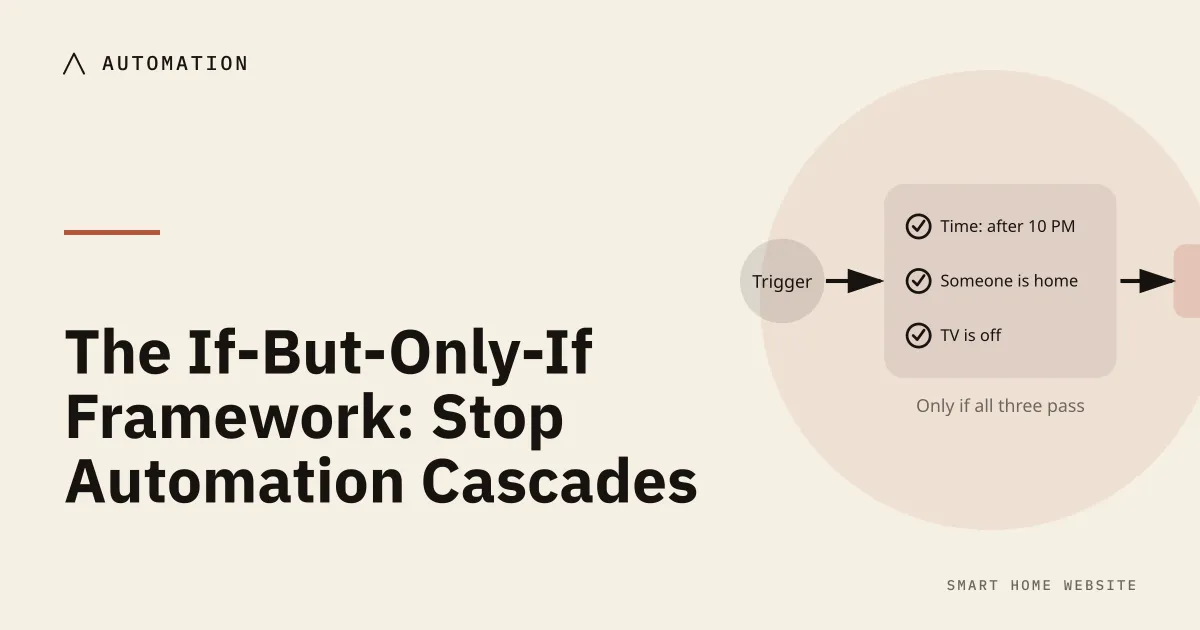
The if-but-only-if framework separates a trigger, the conditions that must hold, and the exception that should stop it. It is how you write an automation that fires when you want and stays quiet when you do not, and easy to debug when it misbehaves.
It usually happens around two in the morning.
You wake up thirsty, slip out of bed, and pad quietly toward the kitchen for a glass of water. As soon as your foot crosses the hallway threshold, the ceiling fixtures erupt in a blinding flash of cool daylight white. A smart speaker on the credenza chimes loudly to confirm the action, and a motorized blind in the adjacent dining room begins rolling upward with a mechanical hum.
In an instant, your peaceful walk turns into an ambush. Your night vision is shattered, your adrenaline spikes, and your partner wakes up down the hall asking what went wrong.
You did not build a smart home to torment your family. You simply set up three well-intentioned automations in three different apps:
- You told your hallway motion sensor to turn on the overhead lights when it detects movement.
- You told your smart speaker to confirm changes when accessories activate.
- You scheduled your window blinds to roll up at dawn, unaware that an early summer sunrise would trigger while your household was still asleep.
When individual automations operate in isolation, they inevitably collide. This is often called an automation cascade: a chaotic chain reaction where one simple trigger trips a series of uncoordinated actions, turning your living space into what feels like a haunted house.
The root cause of this frustration is simple. Most beginner routines are built on crude, one-dimensional logic: If X happens, do Y.
- If the sensor detects motion, then turn on the light.
- If the clock strikes seven, then open the blinds.
- If my phone leaves the driveway, then lock down the house.
This elementary logic fails because life does not happen in a vacuum. Motion happens when you carry groceries into the kitchen at noon, but motion also happens when you stumble to the bathroom with the flu at midnight. A door opens when you head out for work, but it also opens when you step outside in your slippers to check the mailbox.
When you treat every trigger as an absolute command, your house becomes an unpredictable adversary.
The remedy is not to rip your smart switches out of the wall or delete your companion apps. The secret to restoring domestic calm is introducing situational awareness through the If-But-Only-If framework. By placing common-sense guardrails between a trigger and its action, you teach your home to read the room—ensuring it acts only when its help is genuinely welcome.
Section 2: What is the difference between a trigger and a condition?
To build routines that never misfire, you must first understand the fundamental architectural boundary in home automation: the difference between an event and a state.
Platforms use different labels for these concepts—some say triggers and conditions, others wrap them in friendlier wording—but they always govern two completely different questions:
- The Trigger asks: What just happened?
- The Condition asks: What else is true right now?
The Doorbell vs. The Guest Policy
The easiest way to master this distinction is through a simple household analogy: your front doorbell versus your household guest policy.
Imagine the physical doorbell button beside your front door. The instant a visitor presses that button, an event occurs. An electrical contact closes, a chime rings in your hallway, and the event is finished in half a second.
The doorbell is your Trigger. It is instantaneous, completely blind, and carries zero context. It does not know who pushed the button, what time of day it is, or whether you are wearing clothes. It simply fires.
Now, consider your household Guest Policy.
What you do after that chime rings depends entirely on the current context of your living room:
- If the chime rings at two o’clock on a Saturday afternoon and you are expecting friends for lunch, you walk to the door with a smile and pull it open.
- If the chime rings at three o’clock on a freezing Tuesday morning, you do not throw the door wide open. You freeze. You check an exterior camera feed, confirm the deadbolt is engaged, and keep the door shut.
The physical trigger was identical in both scenarios: a finger pressed a button. Your behavior changed entirely because your Conditions were different. You evaluated the hour of the day, your family’s safety state, and your expectations before deciding how to act.
Why Most Automations Fail
When beginners build routines, they almost always program triggers while completely forgetting conditions. They tell the house: “When the doorbell rings, open the front door.”
Without conditions, your smart home behaves like an impulsive toddler:
- It sees movement and immediately snaps the lights on to maximum brightness, ignoring the fact that everyone in the room is fast asleep.
- It notices that your smartphone crossed the property line and immediately shuts off the air conditioning, ignoring the fact that your spouse and children are still sitting on the living room rug.
- It sees the clock hit sunrise and rolls open the bedroom shades, ignoring the fact that you worked a late night shift and desperately need three more hours of rest.
A trigger is merely an invitation for your system to pay attention. The Condition is the thoughtful pause—the brief, silent checklist your home runs through before deciding whether taking action makes any sense at all.
Section 3: Which three guardrails keep a routine quiet?
Every reliable routine in a peaceful home relies on three fundamental guardrails. Think of these as safety filters that catch unwanted triggers and neutralize them before they can disturb your household.
1. Time-Based Guardrails (Clock Windows and Solar Offsets)
The most common mistake with time conditions is treating the clock as an absolute ruler. Setting an automation to run strictly between “7 PM and 11 PM” ignores seasonal shifts. In summer, 7 PM is broad daylight; in winter, it is pitch dark.
Reliable time guardrails blend two distinct time models:
- Solar Offsets: Tie your ambient lighting to the horizon rather than the clock. Use conditions like “Only between thirty minutes before sunset and sunrise.” This ensures your home automatically shifts its behavior as the seasons lengthen and shorten, without you having to recalibrate schedules four times a year.
- Quiet-Hour Bands: Use hard clock boundaries to protect sleep. A motion sensor in a bathroom should carry two distinct personalities separated by a time filter:
- Day Window (6 AM to 10 PM): Motion trips the overhead vanity lights to 80% soft white light (3000K) for morning routines and tasks.
- Night Window (10 PM to 6 AM): That exact same motion sensor trips only an indirect toe-kick strip or a small plug-in nightlight at 2% warm amber (2200K), preserving your night vision and melatonin levels.
2. State-Based Guardrails (Evaluating the Hardware)
State conditions examine the physical equipment in your home before taking action. They ask: What is this device already doing?
State guardrails prevent the jarring “strobe light” effect, where an automation aggressively overrides a setting you just adjusted by hand:
- The Threshold Check: Before an automation turns off a living room lamp because an area is quiet, it checks the power draw of your media console. If the television smart plug is drawing more than 40 watts, the house knows a movie is playing. The shut-off automation aborts, leaving you to watch your film in comfort.
- The Binary Barrier: Use physical contact sensors as state gates. A morning kitchen wake-up routine should carry a simple state condition: “Only if the primary bedroom door is open.” If the bedroom door is pulled shut, the house deduces that someone is sleeping in or unwell, keeping morning audio announcements and motorized window tracks completely silent.
3. Presence-Based Guardrails (Who Is Actually Breathing Inside?)
Presence guardrails answer the most critical question of all: Is the house occupied, and by whom?
Single-user presence tracking is a recipe for domestic friction. If an away routine triggers the moment your personal smartphone leaves the driveway, you will inevitably lock your partner or a visiting houseguest inside a dark, unheated house while you run to the grocery store.
Dependable presence guardrails require consensus:
- The Multi-User Consensus: Configure your departure routines to execute only when the last registered household phone leaves the perimeter.
- The Motion Safety Catch: Add a trailing condition to your away routines: “Only if all interior motion sensors have registered zero movement for twenty continuous minutes.” This simple buffer ensures that even if phones are forgotten, charging, or disconnected from the local network, the house will never arm an alarm or drop the heating while someone is sitting on the sofa reading a book.
Section 4: How do you test a rule against the people you live with?
A smart home does not live in an engineering lab. It shares space with real, unpredictable people who have bad days, catch colds, stay up late, and host out-of-town guests who know nothing about your technology.
If an automation requires your family to change their natural human behavior to avoid setting off an annoyance, that automation is an engineering failure. Your system must adapt to your family, not the other way around.
The Sleeping Partner Standard
The most vulnerable moments in any home happen in the dark. Waking a resting partner with a bright light or an unexpected voice chime is the quickest way to spark domestic resentment against your smart home projects.
Protect your sleeping spaces with three simple etiquette rules:
- Ban Overhead Illumination at Night: Never allow a nighttime automation to activate fixtures positioned above eye level. Direct downlights immediately pierce eyelids and shock the nervous system. Restrict late-night guidance exclusively to low-mounted sources: baseboard channels, under-cabinet strips, or low-baffled floor sconces.
- Lock the Color Temperature: Between 10 PM and dawn, ban cool-white light entirely. Blue and pure white wavelengths tell the human brain that it is noon, suppressing melatonin. Lock late-night path lighting strictly between 2000K and 2400K (a deep, soothing candlelight glow) at no more than 1% to 5% brightness.
- Silence the Audio Engines: Program your smart speakers to enter a whisper profile overnight. At 9 PM, the master volume on all audio assistants should automatically drop to 10%, and audible confirmation beeps should switch to silent visual pulses.
The “Guest Mode” Lifesaver
Consider what happens when a grandparent, a babysitter, or a dog sitter stays at your home while you are away for the weekend. Because their smartphones are not tied into your ecosystem, your geofenced departure rules will treat your empty driveway as an abandoned house.
Suddenly, the heating drops to an uncomfortable eco-setback, the interior doors lock down, and motion along the hallway trips a blaring security siren.
You can solve this completely by creating a Guest Mode Guardrail:
- Place an inexpensive, battery-operated smart button on your kitchen counter or refrigerator.
- Configure a single rule: tapping this button flips a virtual switch named “Guest Mode” to On.
- Update every departure routine with one non-negotiable condition: “Only if Guest Mode is OFF.”
When visitors arrive, tap the button once. Your home immediately suspends all automated away-setbacks, alarm triggers, and aggressive motion timeouts. When your guests leave, tap the button again to restore your normal automated routines.
The Sacred Physical Switch (Yielding to the Human Hand)
The cardinal rule of domestic smart home peace is simple: never fight a human hand.
When a family member or houseguest reaches out and physically taps a wall switch, their manual input must always take immediate, total precedence over whatever automated schedule was running in the background.
If someone manually switches on the dining room chandelier for a conversation, a motion sensor in the corner should not shut that chandelier off four minutes later just because the table became still.
Build your automations to yield gracefully:
- When a switch is turned on manually at the wall, instruct your automation engine to pause its automatic motion-timeout rules for that room for sixty minutes.
- Let the human enjoy the light they specifically asked for. Once the room has been completely vacant for an hour, the system can quietly resume its standard background monitoring.
Section 5: How do you find and fix automation conflicts?
Before you build or edit a routine in your smart home app, use this reference matrix to identify potential collisions. It highlights the most common household pain points, shows you the exact missing condition needed to fix them, and outlines the resulting peaceful resolution.
| Trigger Scenario (The “When”) |
Common Annoying Collision (The Problem) |
The Crucial “But-Only-If” Condition (The Guardrail) |
The Peaceful Resolution (The Result) |
|---|---|---|---|
| Hallway Motion Detected | Lights blast at 100% cool white at 2 AM, blinding anyone getting a glass of water. | • Time is between 10 PM and 6 AM • Household is in “Sleep Mode” |
Hallway runners fade up slowly to 2% warm amber, illuminating footsteps without disrupting night vision. |
| Last Person Leaves Home | Geofence arms the alarm and turns off heating while a babysitter or guest is still inside. | • “Guest Mode” is OFF • Interior motion sensors detect zero movement for 20 minutes |
The home stays warm and safe for visitors; away-mode only triggers when the house is truly vacant. |
| Television Turned On | Evening living room motion sensor shuts off lamps because you sat still during a quiet film. | • Television smart plug power draw is above 40 watts | Lamps remain at their cozy movie-level dimming as long as the television is drawing active power. |
| Morning Alarm Rings | Bedroom blinds open and speakers announce news while a partner is sleeping in or sick. | • Bedroom door contact sensor is OPEN • Phone “Do Not Disturb” is OFF |
Bedroom remains completely dark and quiet; morning routines only fire once the occupant opens the door. |
| Bathroom Motion Trips | Exhaust fan and bright vanity lights turn on while you are taking a relaxing, dim bath. | • Humidity level is below 65% • Manual wall dimmer is not set to “Relax” |
Bright overhead lights stay off; fan only engages if actual steam builds up, preserving bath tranquility. |
| Front Door Contact Opens | Porch lights turn on during the middle of a sunny afternoon when someone grabs the mail. | • Outdoor ambient light level is below 40 lux • Sun is below the horizon |
Lights stay completely off during daylight hours, saving energy and bulb lifespan automatically. |
| Kitchen Motion Detected | Under-cabinet task lights turn off while you are standing still at the island reading a recipe. | • Kitchen presence sensor verifies human breathing/stillness | Task lights stay steadily illuminated until you physically walk out of the kitchen zone. |
Section 6: How do you build a home that behaves predictably? (Conclusion)
The ultimate measure of a well-engineered smart home is not how much technology you can show off to your neighbors. It is how little you and your family have to think about the technology on a daily basis.
When home automation is executed poorly, your living space feels fragile, unpredictable, and loud. It demands constant explanations, produces unexpected midnight surprises, and turns simple daily tasks into frustrating digital negotiations. You end up spending your weekends fixing glitchy schedules instead of enjoying your home.
When you apply the If-But-Only-If framework, the chaos stops.
By anchoring every instantaneous trigger to thoughtful time boundaries, hardware states, and presence checks, you introduce situational wisdom into your walls. Your home learns to tell the difference between a busy Tuesday morning rush and a slow Sunday recovery. It learns to step forward with bright, clear light when your hands are full of groceries, and it learns to step back into total, restful silence when your family is trying to sleep.
Building a dependable, automated home is not an all-or-nothing marathon. You do not need to rewrite fifty routines before going to bed tonight.
Pick the single most annoying automation currently misfiring in your house:
- Maybe it is a bathroom light that blinds you at dawn.
- Maybe it is a living room lamp that shuts off while you are watching television.
- Maybe it is an exterior light that clicks on while the sun is still shining.
Open your app, locate that single routine, and give it a thoughtful condition. Add a clock boundary, an open-door check, or a power-draw filter.
Test it tonight. Notice the quiet relief of a routine that executes with precision rather than brute force. Layer by layer, room by room, you will stop managing a haunted house—and start living inside a quiet, predictable sanctuary that effortlessly works for you.
Where to buy
Opens an Amazon search. As an Amazon Associate, we earn from qualifying purchases. No product in this guide was supplied or tested by a manufacturer.
Related reading
- Set-and-Forget Automation: Practical Smart Home Routines — the “when, only if, then” structure behind every reliable routine.
- The Chronological Smart Home: A Perfect 24-Hour Day — how to stop schedules from colliding in the first place.
- The Smart Sensor Directory: Motion vs. Presence vs. Contact — which sensor actually answers “is someone here?”
- Smart Lighting 101: Why Smart Switches Beat Smart Bulbs — why the switch, not the bulb, decides whether a light survives a power cut.
Sources
- Automation conditions — Home Assistant
- Setting up presence detection — Home Assistant
- Sun integration — Home Assistant
- Blue light has a dark side — Harvard Health